
 Hami Team


App limits
App time limits: how to give YouTube or a game its own daily allowance
Hami Team6 min read
The daily game-time battle is rarely about minutes. It is about stopping in the wrong place: the match is half finished, friends are waiting, and "turn it off now" costs something real. The fix is to agree the amount and the stopping point in advance, in units the game understands, with a warning before the end. This guide shows how, and where an app like Hami helps by enforcing what you agreed so that you are no longer the one saying no every day.
Many games are built around short loops: one more match, one more level, a streak that ends if you stop, a team that needs you. For a child this is not an excuse. Leaving a team of friends or losing a streak costs something to them, so "five more minutes" is a sincere request for a decent ending. A parent who understands this stops being the enemy of the game and becomes the person who helps the child end it well.
Younger children also lack the sense of time that makes "in ten minutes" mean anything. A timer or a visible countdown helps more than a reminder.
Minutes are the parent's unit. For the game the unit is a match, a level, a round. Ask your child how long a match lasts and set the limit in those terms: "two matches on school days, three at the weekend". For games with no natural unit, use a clock but set it so the end falls at a natural pause, for example a quarter of an hour that leaves time to finish a match.
Two parts make the agreement work:
Most families settle on a smaller weekday allowance and a larger weekend one. Write the numbers down. Let the child choose when to spend them within the allowed hours, because choosing is part of learning to manage time. Keep one fixed point: bedtime does not move, whatever the weekend allowance. Look at screen time by age for a frame, and at phones and sleep for the bedtime side.
Yes, once in a while. Ten minutes with your child in their game teaches you what a match is, what the chat looks like and who they play with, and it tells the child that you take the game seriously. It also changes your tone when you ask them to stop: you now know what you are asking them to leave. Do not turn it into an inspection, and let them win some of the time.
Parental control apps limit time, but the game has its own settings that matter just as much:
Settings differ between games and change over time; look at each game's own help pages for the current options.
Earned time ties a reward to something else: some minutes in a reading or learning app first, then a game opens. It helps when the earning activity is useful and the child accepts it. It backfires when reading becomes the toll for the game and the child learns to dislike it. Start with a small unit, keep it repeatable and watch for the child who clicks through the earning app without reading. See conditional time: let minutes in a reading app turn into game time for the rule and the pitfalls.
Hami helps you keep the agreement without being the enforcer every day:
The child sees the rule and the time left in Hami Kids; nothing is hidden. Hami never reads chat, never uses the microphone and does not see inside the game.
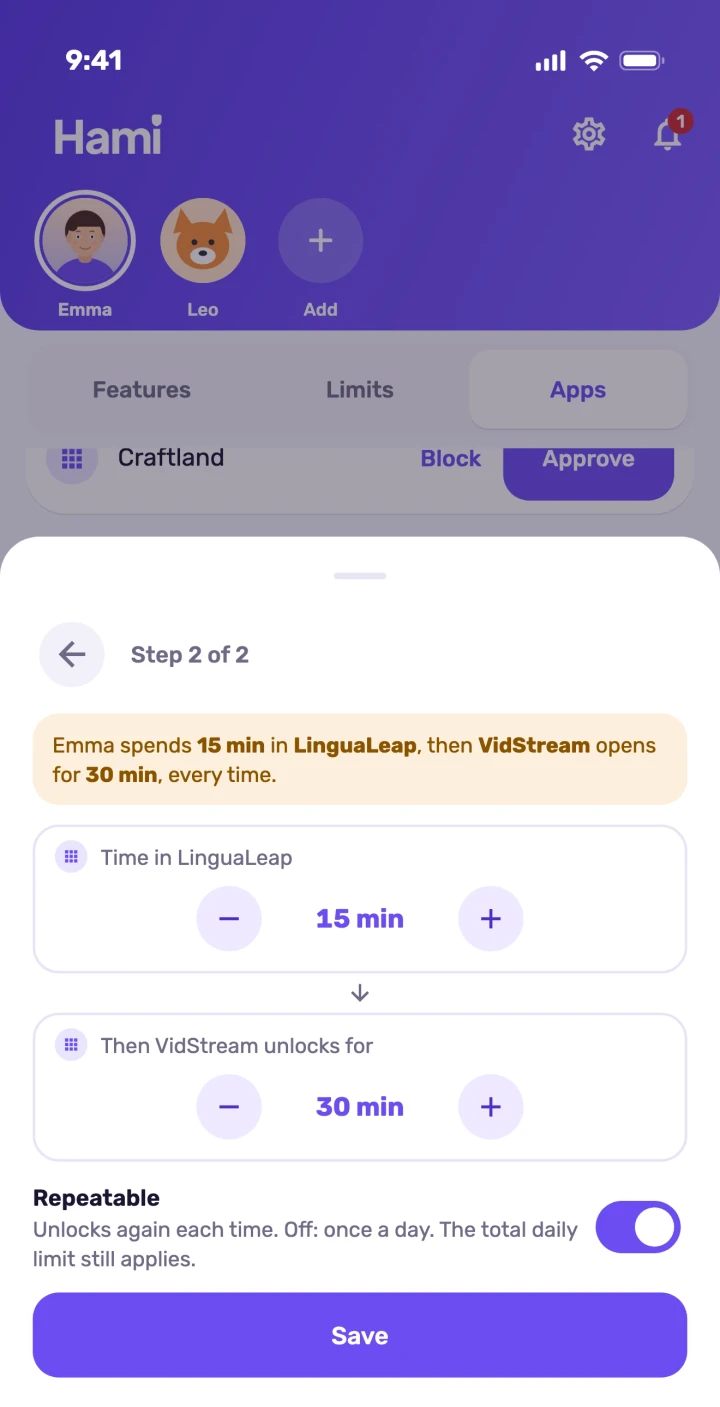
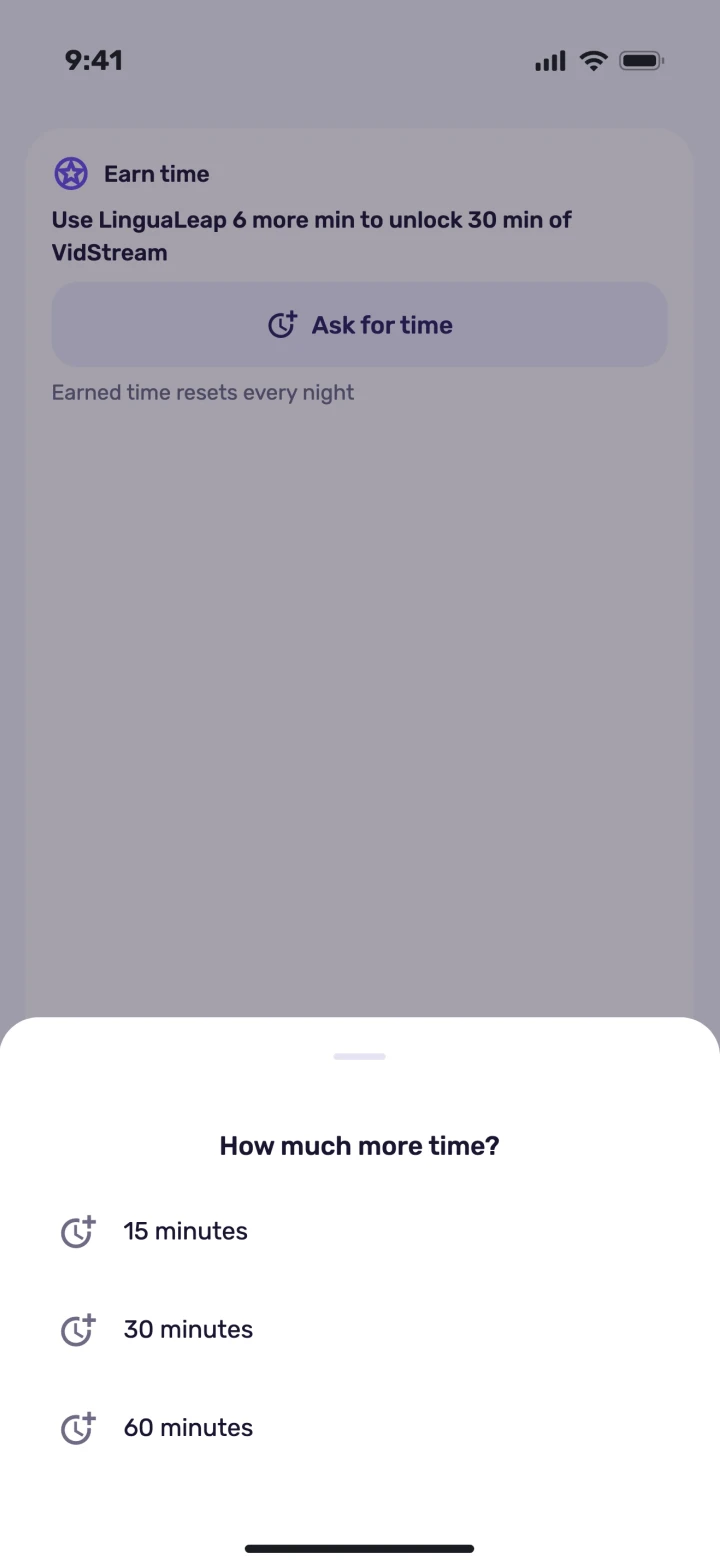
Ask your child how long a match takes, write down a weekday and a weekend amount in matches and agree a five-minute warning. Set the matching rule in Hami, play one round with them this week and look at the weekly report in a month.
There is no single number; it depends on age, sleep, homework and what else fills the day. Start from what your child plays today, agree a weekday and a weekend amount, and review after a few weeks. The guide on screen time by age gives a frame.
Many games are designed around short loops, streaks and friends waiting, so stopping mid-match costs something real to the child. A warning and an agreed stopping point (the end of a match) take most of the sting out.
It can be. A per-app limit gives a game its own daily time, and a daily total still caps everything. Using both is common.
It can help when the earning activity is something the child enjoys too. It backfires when reading turns into a chore to be got through. Start with a small, flexible rule and watch what happens.
App limits
Hami Team6 min read

App limits
Hami Team6 min read

Family rules
Hami Team8 min read
Set it up in about five minutes. Your child can always see which rules are on.