


Transparency & trust
How to tell your child about parental controls (without a fight)
Hami Team7 min read
 Hami Team8 min read
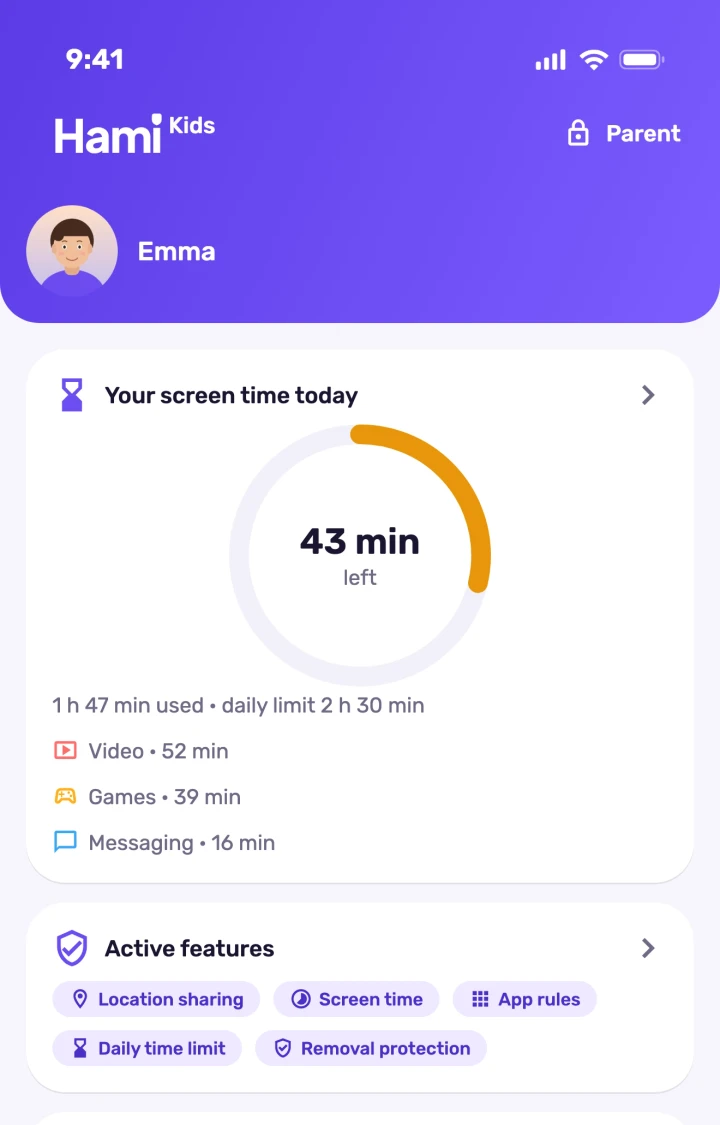
Hami Kids is the app on your child's phone, and it is built so that the child can always see what is going on. It shows the time left today, which rules are on, why an app is locked, and exactly what the parent can see. This tour walks through the child's side screen by screen, so you know what your child sees before you set Hami up, and so you can describe it honestly when you talk to them.
Parental controls that work in secret create a child who hunts for the secret. Hami is built the other way round: the child knows. A rule your child can read is a rule they argue with calmly, and a lock they understand is a lock that does not feel like a fault. The longer argument is in transparent parental control versus secret monitoring. Here we just show it.
The home screen shows your child's own picture of the day:
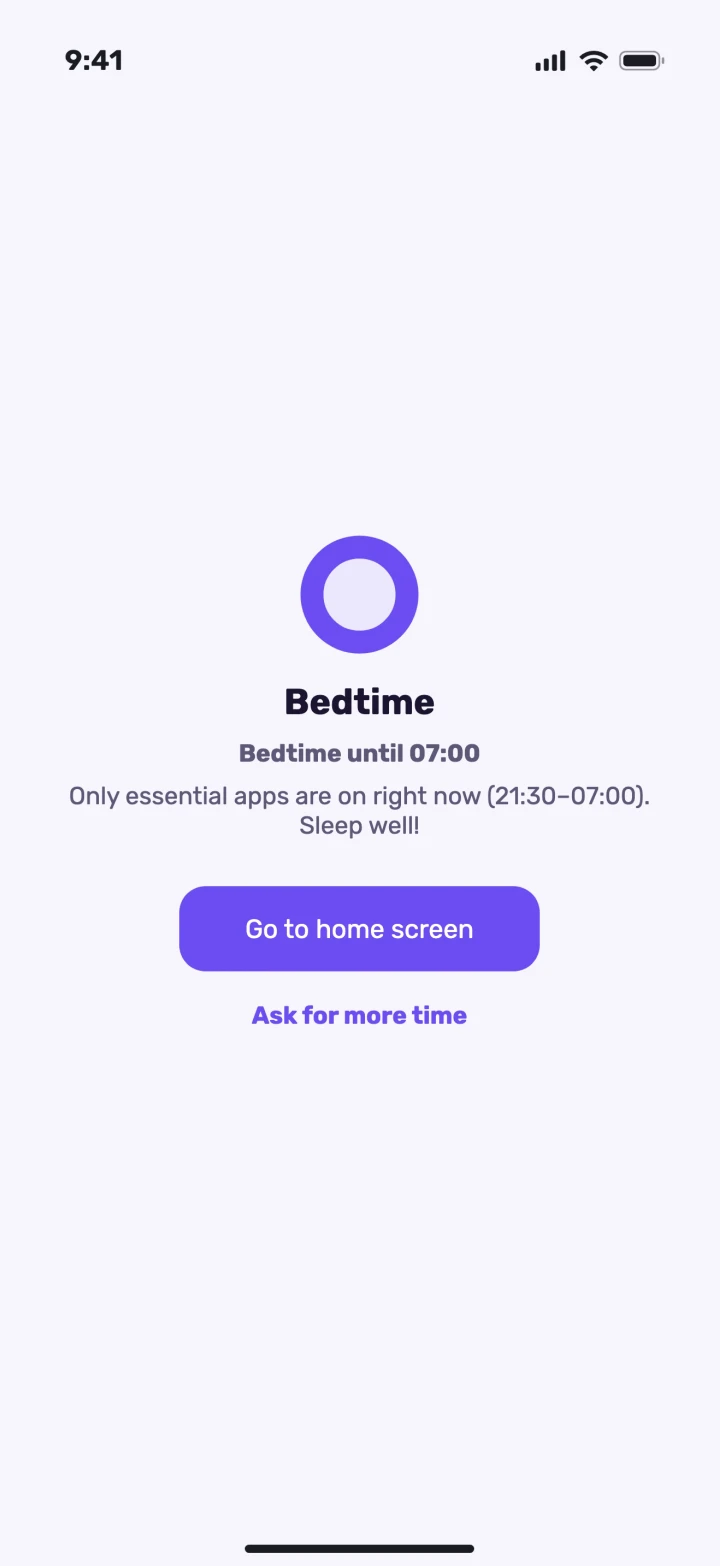
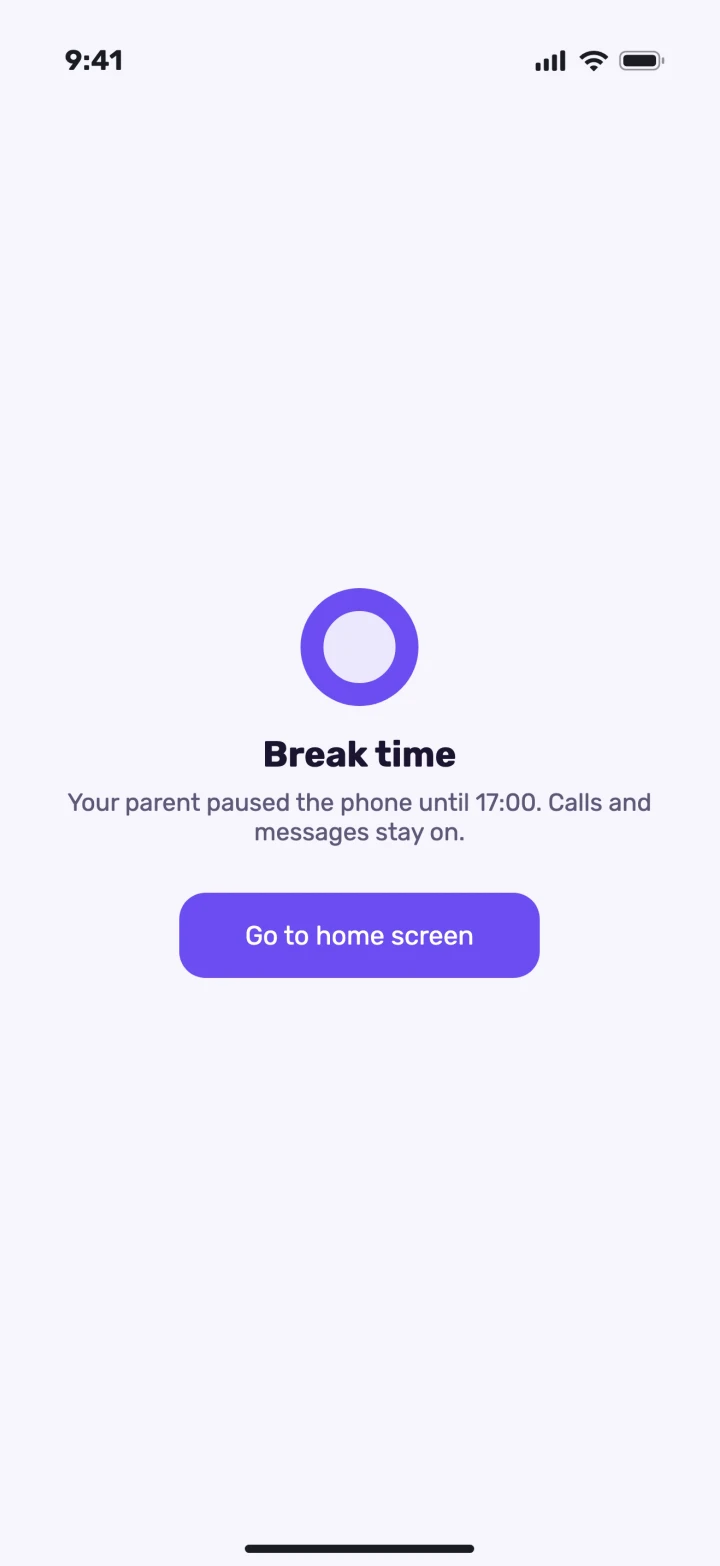
When a rule applies, the child does not see a blank phone. The lock screen names the rule. At bedtime it says "Bedtime until 07:00" and that only essential apps are on, with a button to go to the home screen and a link to ask for more time. When you pause the phone, it says "Break time" and that the parent paused it until a given time, and that calls and messages stay on. When the daily limit runs out, it says so.
The idea is that a lock the child can explain is a lock they can accept. "The phone went quiet because it is bedtime" is a sentence; "the phone is broken" is a complaint.
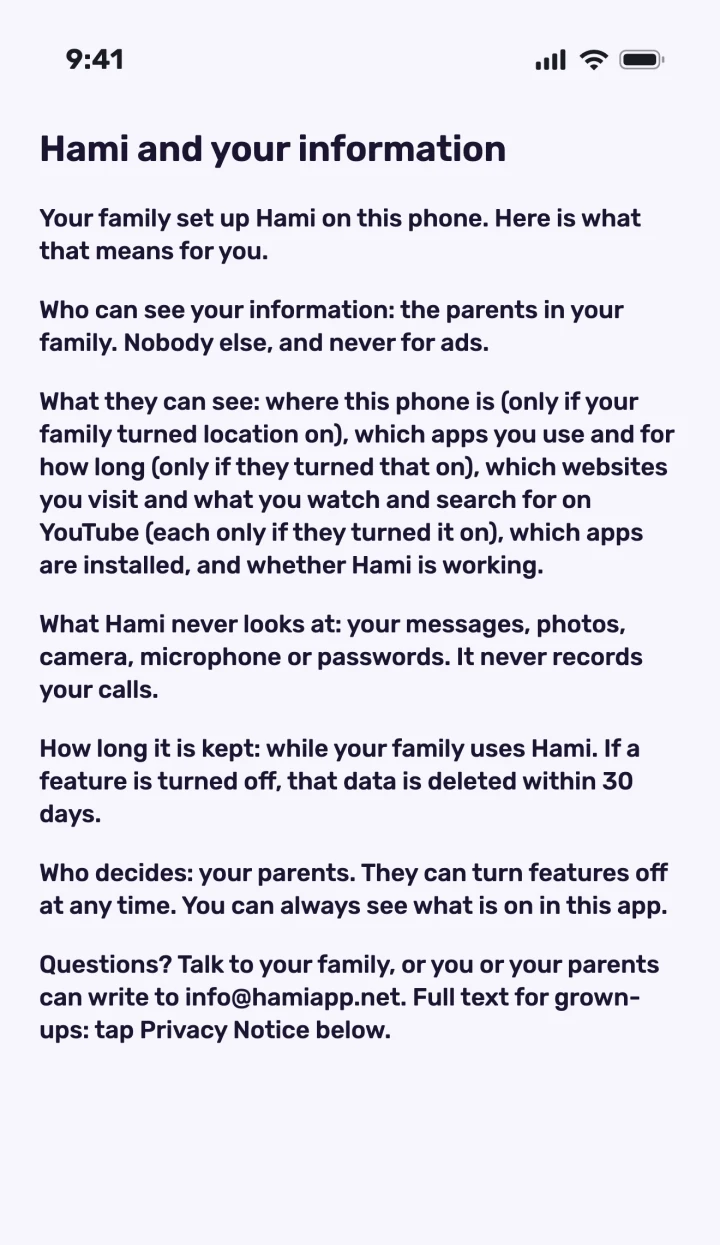
This screen, "Hami and your information", is what makes Hami transparent. Its section "Your parent can see" lists in plain words what the parent can see about this phone: where the phone is, how long the phone is used and in which apps, that apps can be blocked and limits, bedtime and school time can be set, and that Hami cannot be removed without the parent. It also says who can see the child's information: the parents in the family and nobody else, and never for ads.
Features that are optional and Android only appear on this list when you turn them on. If you enable site history, the child's screen says that you can see which websites they visit, the site name only and never the pages, and that it is kept for 30 days. If you enable YouTube history, it says that too. The child is told before anything is collected.
Hami never reads messages, never uses the microphone and does not record the screen. The camera is only used, if the child chooses, to scan the QR code when the phone is paired.
The child cannot change the rules. The parent area in Hami Kids is protected by the parent PIN. With the PIN the parent can pause protection for a number of minutes, for example to uninstall or change a setting. On Android, removing Hami Kids needs the PIN, and the child sees the line that Hami cannot be removed without the parent. On an iPhone, whether the app can be deleted depends on Family Sharing; see protecting Hami Kids from removal. Hami does not hide this from the child either.
The child sees a "Hami is paused" screen: nothing on the phone is limited, watched or tracked, and the parent can turn it back on any time. The phone behaves as if Hami were not installed until the family resumes.
Open Hami Kids on your child's phone with them, once, before you change any rule. Go through the home screen, press nothing, and read the "Hami and your information" screen together. It is the quickest honest answer to "what do you see?" and it makes the conversation in how to tell your child about parental controls much shorter.
Install Hami Kids, pair the phone together and open the "Hami and your information" screen before anything else. Set up Hami in 5 minutes has the steps.
Yes. Hami Kids has an information screen, called Hami and your information, with a section 'Your parent can see' that lists in plain words what is shared, for example where the phone is, how long and in which apps it is used, and that limits can be set. If you turn on optional features such as site history, the child is told too.
No. Rules are set from your phone. The parent area on the child's phone is behind your PIN, and the child sees which rules are on but cannot change them.
No. It has a visible icon and on Android a persistent notification. That is deliberate: Hami is transparent, not a secret monitoring app.
A 'Hami is paused' screen saying that nothing on the phone is limited, watched or tracked while it is paused. Your parent can turn it back on any time.
Transparency & trust
Hami Team7 min read

Transparency & trust
Hami Team7 min read

Screen time
Hami Team7 min read
Set it up in about five minutes. Your child can always see which rules are on.