
 Hami Team


Setup
Set up Hami in 5 minutes
Hami Team6 min read
Hami works across platforms. The parent app on an iPhone manages a child's Android phone, and the parent app on an Android phone manages a child's iPhone. What you can set depends on the child's phone, not on yours: an Android child phone gets the full set of tools, and an iPhone child phone gets everything Apple's Screen Time rules allow. This guide shows the four combinations, what stays the same, and how to pair across platforms.
| Parent phone | Child phone | What you get |
|---|---|---|
| iPhone | Android | The full set: daily limit, per-app limits, category lock, new-app approval, web protection with Safe Search |
| Android | Android | The same full set |
| iPhone | iPhone | Everything Apple's Screen Time API allows, stated honestly in the app |
| Android | iPhone | The same iPhone set, managed from an Android parent app |
The row that decides what is possible is the child's phone. The parent's phone only decides which app you hold in your hand.
The parent app looks and behaves the same on iPhone and Android: the home screen with today's time, Lock and Add time, Rules for each child, the location map and safe zones, the Requests screen, alerts, the weekly report and Family settings. Notifications reach both kinds of phone. You can switch between phones, or share the work between two parents with different phones, and nothing is lost.
An Android child phone lets Hami Kids see which app is in the foreground, so the daily limit counts apps individually and the screen time report lists how long each app was used. Category lock, approval of new apps, Safe Search and optional site history are all Android features. Requests for more time arrive immediately.
An iPhone child phone works through Apple's Screen Time API (FamilyControls, ManagedSettings and DeviceActivity). That has consequences, which Hami states where you set the rules:
These limits come from Apple and apply to every parental control app. The full list is in what parental controls can do on an iPhone. If you plan to buy a phone and care about the broadest set of tools, Android is the one that offers more; if the family already has iPhones, Hami works on them within the rules above.
Pairing is identical for every combination, because the pairing code does not care about either operating system.
The subscription starts with the store's 7-day free trial right before the first pairing. It is bought in the App Store or Google Play of the parent's phone and covers every platform.
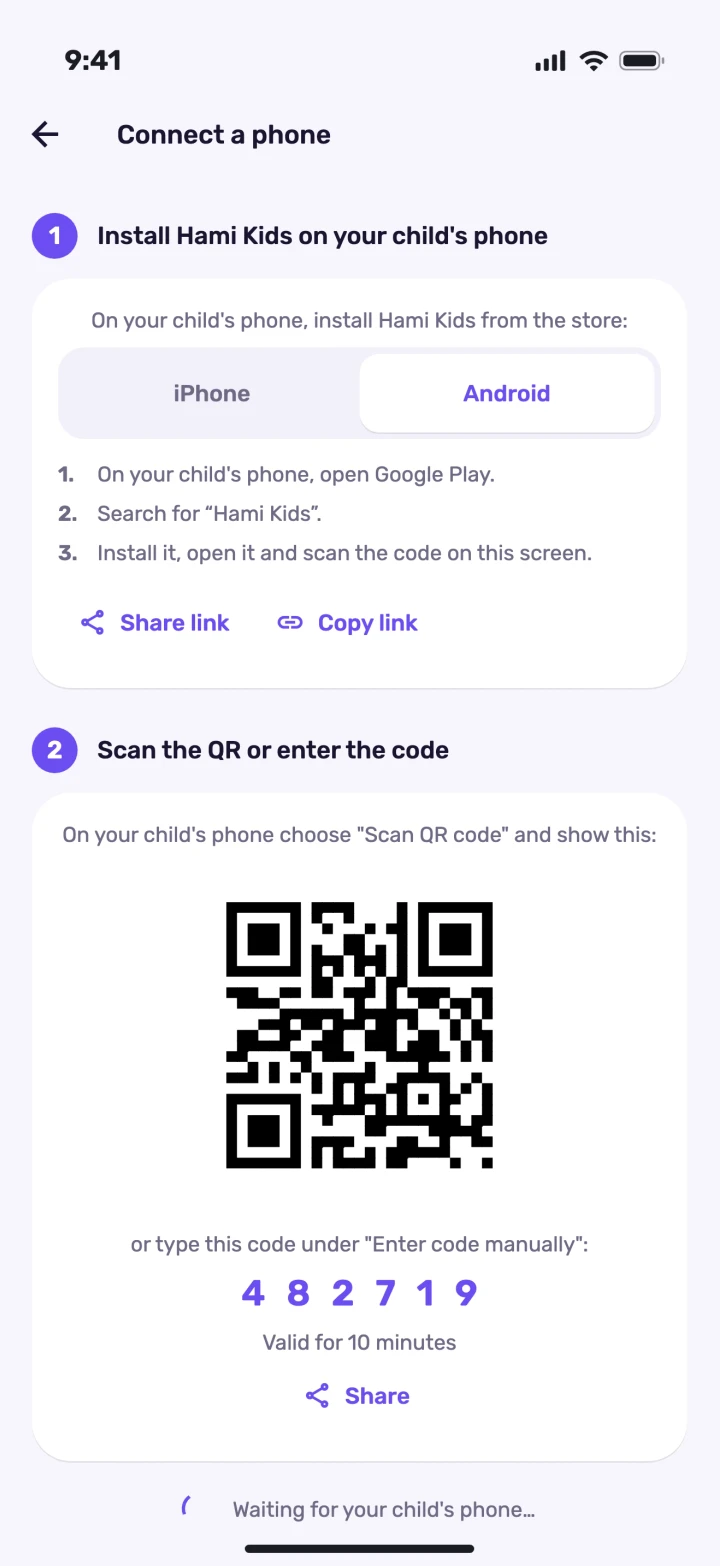
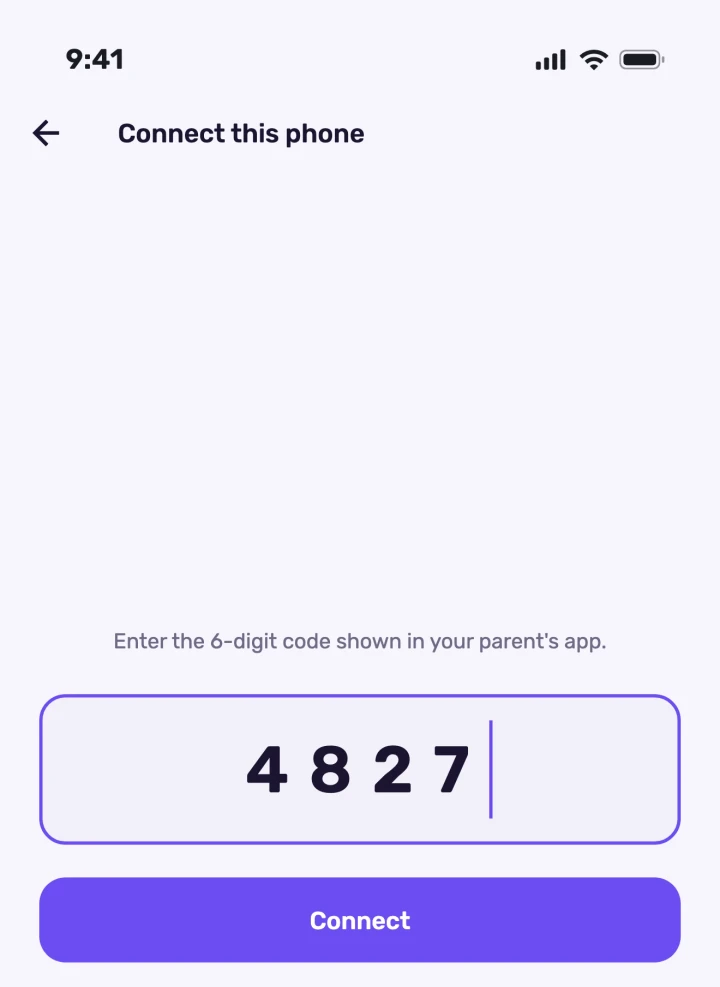
Pair each child phone separately and set each one's rules. A family with an eleven-year-old on an Android hand-me-down and a fifteen-year-old on an iPhone sees two children on the home screen, each with their own rules, time and location. Rules that exist on one platform only simply do not appear for the other; Hami shows an iPhone note where the setting differs.
Two things help in practice. First, explain the difference to your children before they compare: "your phone locks categories, your sibling's phone cannot, that is Apple's rule, not a favourite". Second, keep the intent of the rules the same even when the tools differ: one daily total, one bedtime, one list of apps that need asking about.
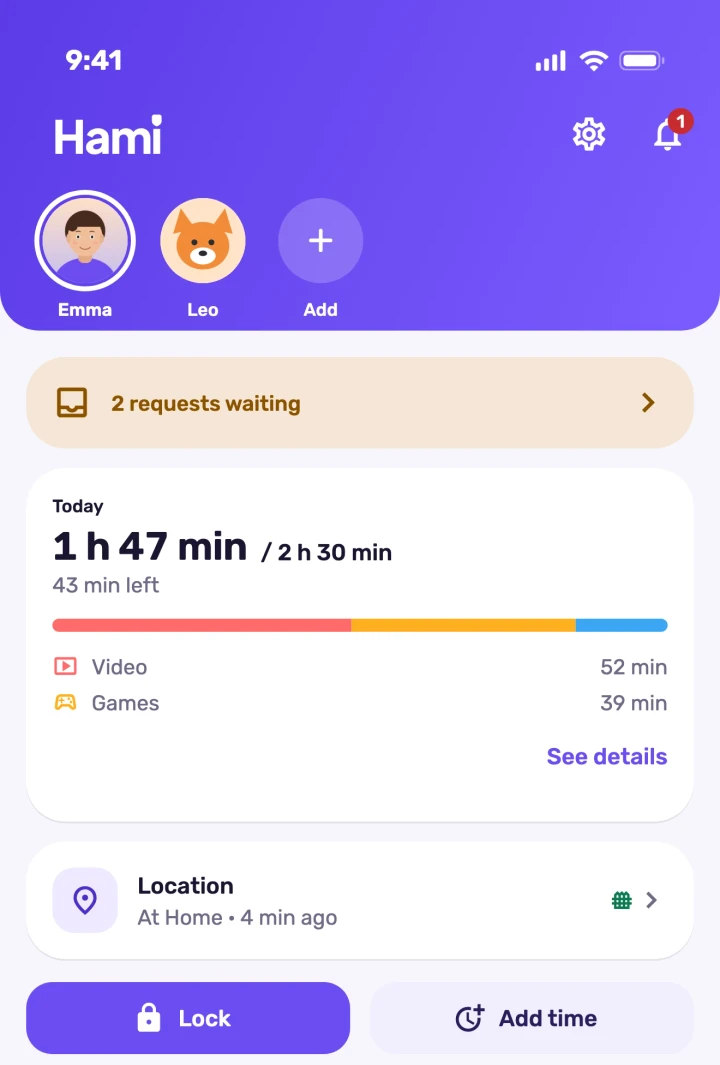
One subscription covers up to 6 children, 10 child phones and 4 parents. Parent phones do not count toward the 10. A second parent joins with an invite code from Family settings and sees the same children; see adding a second parent to Hami.
Yes, on both. Hami Kids has a visible icon, on Android a persistent notification, and a screen your child can open to read what is on and what you can see. Hami never reads messages, never uses the microphone and uses the camera only to scan the optional pairing QR code. That is true for every combination in the table above.
Decide which child phones you will pair, check the version numbers above, and follow set up Hami in 5 minutes for the first one. If one of them is an iPhone, read the iPhone guide first so the limits do not come as a surprise.
Yes. The parent app is the same on iPhone and Android, and it manages a child phone of either kind. What you can set depends on the child's phone, not on yours.
Yes. Each child phone is paired separately and follows the rules of its own platform. One subscription covers up to {children} children and {phones} child phones.
No. One parent can use an iPhone and the other an Android phone; both see the same children, rules and requests.
Android gives the fullest set of tools, including category lock and approval of new apps. An iPhone works within Apple's Screen Time rules, which the iPhone guide lists plainly. Both work with Hami; choose the phone for other reasons too.
Setup
Hami Team6 min read

iPhone
Hami Team5 min read

Setup
Hami Team4 min read
Set it up in about five minutes. Your child can always see which rules are on.