
Adding a second parent to Hami
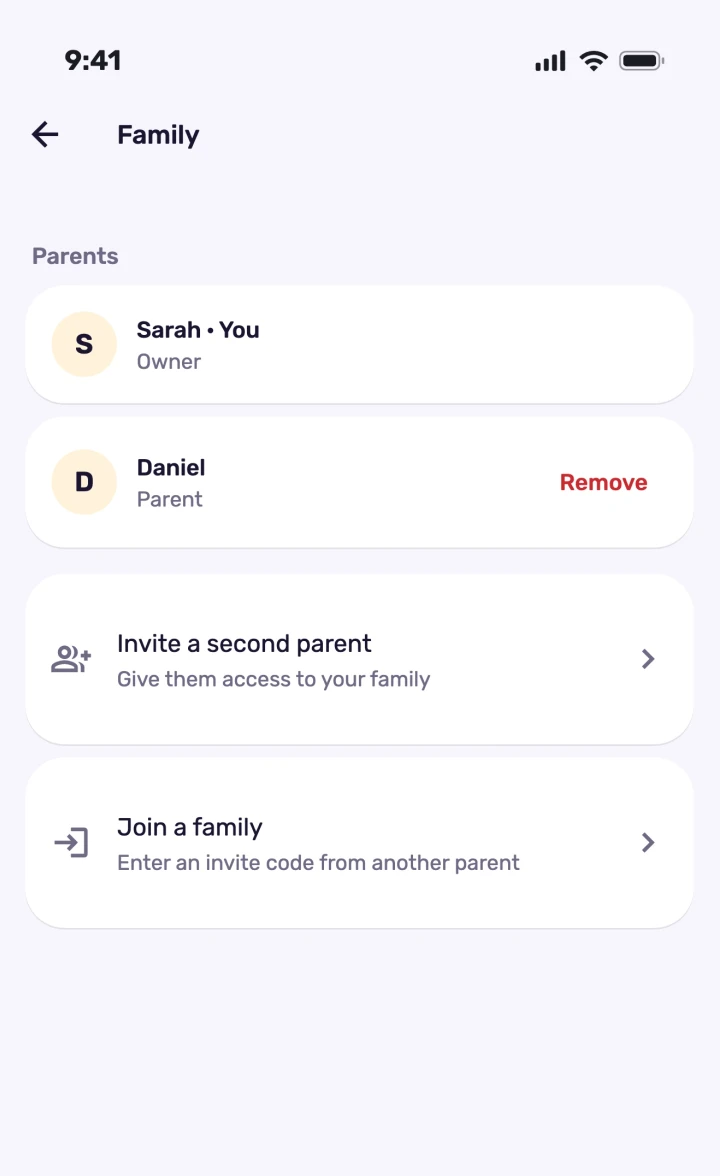
To add a second parent to Hami, open Settings › Family › Invite co-parent in Hami and send the invite code that appears to your partner. Your partner installs Hami on their own phone, creates their own account and enters the code under Settings › Family › Join a family. From then on both phones see the same children, rules, location and requests. One subscription covers up to 4 parents, and iPhone and Android can be mixed.
Why a second parent?
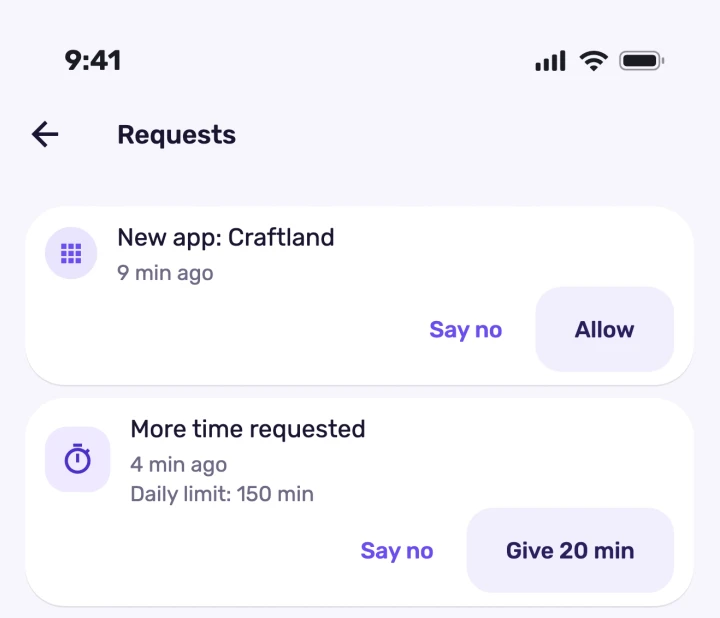
If the child's requests for more time only reach one of you, the other parent is outside the rule, and children learn that quickly. When both parents see the same family, requests reach both of you, and an SOS lands on both phones. The same goes for parents who live apart: whichever home the child is in, the rules are one set.
Step by step
- Generate an invite code. In Hami, open Settings › Family and tap Invite co-parent. An invite code appears; pass it to your partner by message or in person.
- Your partner installs Hami. They download Hami (the parent app, not Hami Kids) from the App Store or Google Play and sign up with their own email, Apple or Google account.
- They enter the code. In Hami they tap Settings › Family › Join a family and type the invite code. With the "You joined the family" message, the children appear on their screen.
That is all. Nothing needs doing on the child's phone; Hami Kids is already connected to the family.
What can the second parent do?
Parents within a family have the same powers: set and change rules, look at location, answer requests, lock or pause the phone, receive notifications. The weekly report reaches both. The parent PIN is a single PIN for the family; both of you use the same PIN on the child's phone.
The person who first created the family is listed as "Owner". The Owner can remove the other parents under Settings › Family, and any other parent can leave the family themselves; the Owner cannot leave. A removed parent can no longer access the children's data, and nothing changes on the children's phones.
Common questions
My partner's phone is on the other platform. Not a problem; one can be an iPhone and the other an Android. What works on the child's phone is decided by the child's phone, not the parent's.
Does each parent buy a subscription? No. The subscription belongs to the family; one subscription covers up to 6 children, 10 child phones and 4 parents. It lives in the store account of the parent who bought it.
The invite code did not work. Generate a new code and try again; check the digits as you type.
We separated and I want to remove my ex-partner. If you are the Owner, remove the parent under Settings › Family. From that moment they can no longer see the children's data. If your ex-partner is the Owner, you can only leave the family yourself.
More
If you have not done the first setup, Set up Hami in 5 minutes. For the first rules on a child's phone, the first phone checklist. For questions, the FAQ.
Last updated 2026-11-25