
Bedtime and school time on a child's phone: how to set them up
6 min read
Bedtime and school time are two rules that pause your child's phone between set hours on their own. In Hami you set the bedtime once: the phone locks every night at the time you chose and opens again in the morning. School time does the same for lesson hours on school days. You decide which apps stay available during those hours. Both rules work on Android and on iPhone.
The biggest benefit of a night rule is that it is not renegotiated every evening. If the phone goes quiet at 9 pm, the "five more minutes" bargaining happens with the rule, not with you. The child reads why on the lock screen.
What bedtime does and does not do
Between the start and end times you choose, apps lock. The lock screen shows "bedtime" as the reason. At the end time in the morning the phone returns to normal by itself; nothing for you to do.
The phone does not switch off. If needed, your child can open Hami Kids and send an SOS or a request for more time. Apps you marked as available during bedtime keep working.
Bedtime is independent of the daily limit. Even if the day's time has not been used up, the phone goes quiet when the hour comes. Running both is the most common arrangement: a total for the day, a firm hour for the night.
Which hour is right?
Paediatric guidance for school-age children is around 9 to 11 hours of sleep, and 8 to 10 for teenagers. Screens off at least half an hour, preferably an hour, before sleep appears in almost every recommendation; a bright screen and endless content delay falling asleep.
In practice, for a ten-year-old who gets up at 7, a start at 8.30 or 9 pm and an end at 7 am is a good place. For a fourteen-year-old, 10 pm is more realistic. Hami suggests a bedtime based on the child's age when you add them; it is a starting point you change freely.
Setting the end time a little after the morning wake-up helps: the phone opening becomes what follows getting ready, not the reward for it.
Setting up bedtime
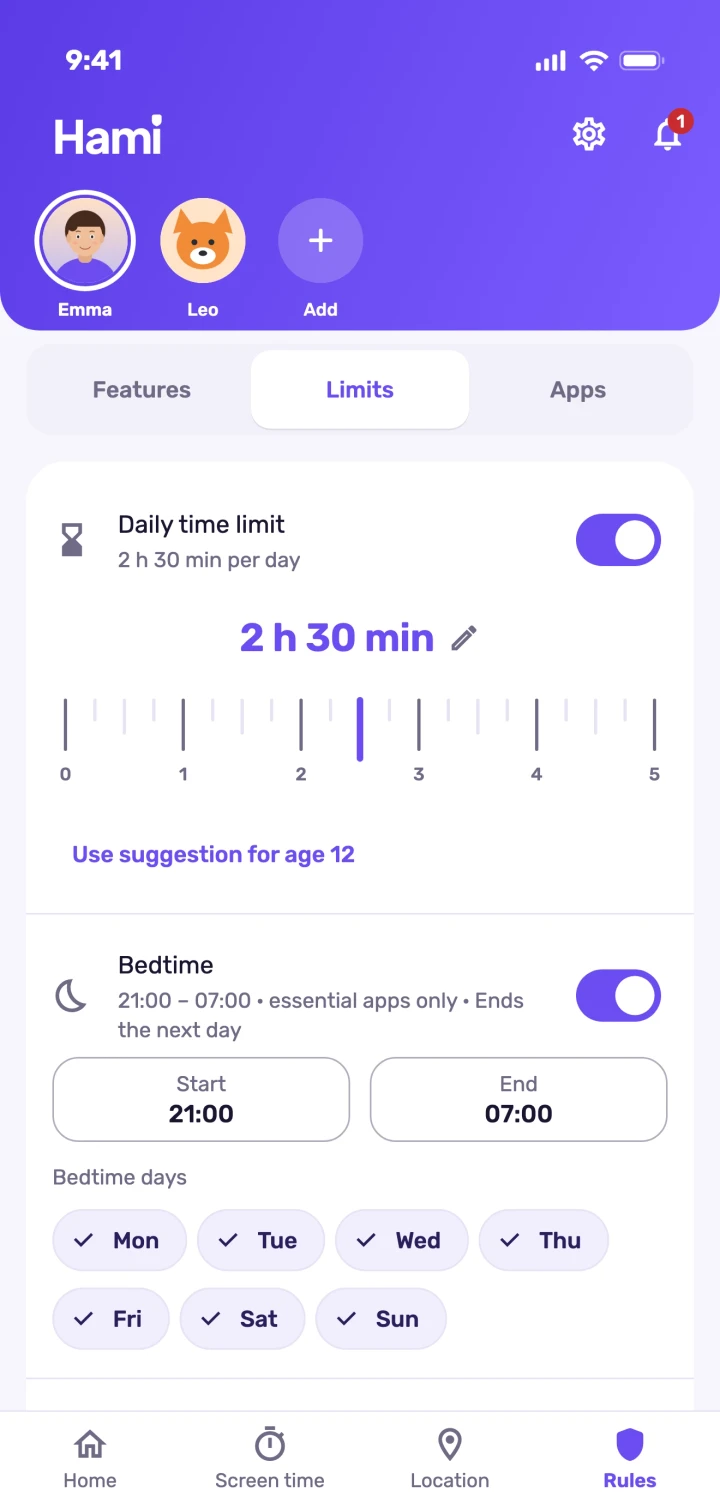
- In Hami, choose your child and open Rules.
- Turn on Bedtime and choose the start and end times.
- Under Bedtime days, tick the nights the rule applies to. Plenty of families leave the weekend out.
- Under Apps allowed during bedtime and school time, choose what stays available in those hours; for most families that is the phone app and perhaps music.
The rule reaches the child's phone the moment you save. If you chose bedtime during setup it is already on; you change it here.
School time: quiet during lessons
School time carries the same logic into school days. A start and end time (8.30 to 3.30, say), the school days (usually Monday to Friday) and the apps allowed during those hours. When lessons end the phone opens up, and your child can reach you on the bus or the walk home.
Where the school has a phone rule, this gives it a counterpart on the phone. Where the school does not collect phones, it is the simplest way to switch off games and messaging during lessons. Remember to turn it off in holiday weeks; Hami does not know the school calendar for you.
Pause for homework
For things that do not happen at the same time every day, use Pause instead of a fixed rule. When homework has to get done, you tap "Pause 30 min" from your own phone; when it ends, the phone opens again. Or use Instant lock when everyone sits down to dinner and unlock when you get up. Fixed hours are for routine; pause is for the flow of the day.
iPhone and Android
Bedtime and school time work on both platforms; among the time rules, this is the area where the iPhone causes the least trouble. Two details worth knowing:
- On an iPhone, the allowed apps are chosen with Apple's picker on the child's iPhone; Hami does not see the app names, only how many were chosen.
- On an iPhone, the lock screen can keep showing an earlier reason until an app is restarted (for example "paused" instead of "bedtime"). What is locked is always correct; only the explanation sometimes lags. This is a known Apple behaviour.
For the other differences, see What parental controls can do on an iPhone.
Should the phone sleep in another room?
The bedtime rule closes apps, but it does not stop the phone living under the pillow. For many families the most effective extra step is a charging spot in the kitchen where every phone, parents' included, spends the night. It is a habit rather than a setting, and it works harder than any app. Combine the two and both the 2 am notification and the reach-for-the-phone-first-thing morning largely disappear. If your child uses the phone as an alarm, a cheap alarm clock shortens that conversation.
Explaining the rule to your child
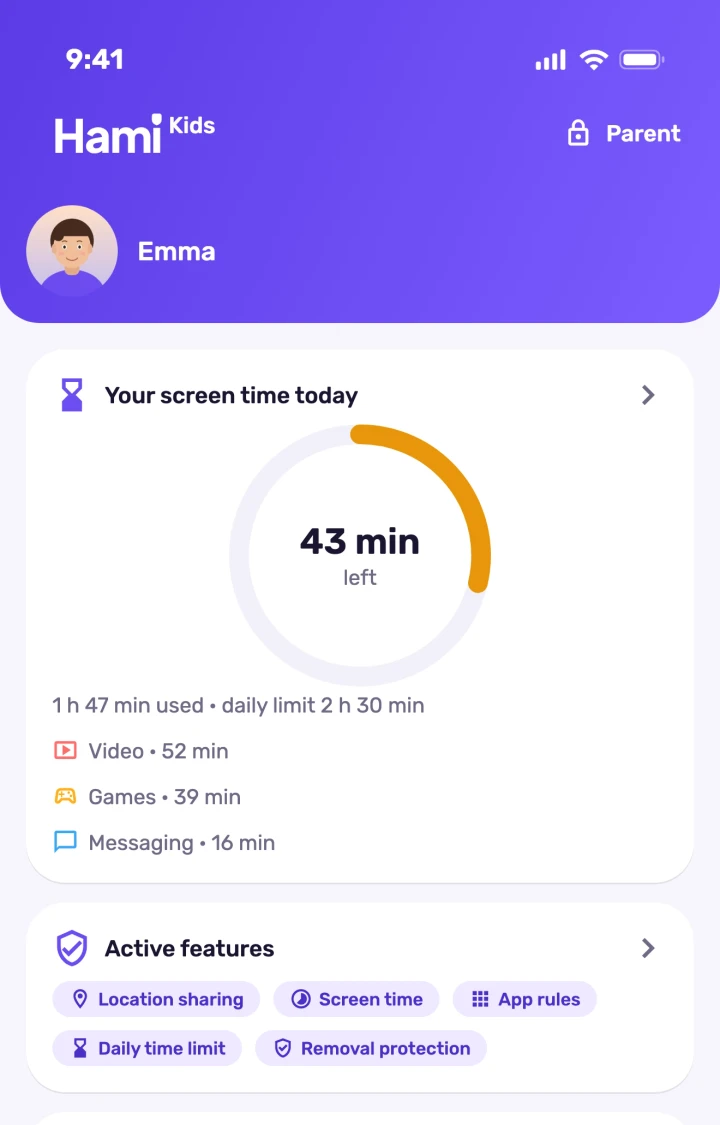
Bedtime is the rule a child feels most, so explain it before you turn it on. In Hami Kids your child sees which rules are on and reads why the phone went quiet at night. There is no "the phone is broken" or "mum switched it off secretly". Choosing the hour together, especially from age eleven or so, improves compliance noticeably.
Next step
Pick an hour for tonight, turn on bedtime under Rules in Hami, and tell your child. Talk about how the mornings are going a week later. If you also want to shape the daytime total, the daily screen time limit article is the sequel. If you have not set up yet, Set up Hami in 5 minutes.
Frequently asked questions
Does the bedtime rule switch the phone off completely?
It locks apps; the phone stays on. You choose which apps remain usable during bedtime and school time, the rest lock and the lock screen says why.
Can I set a different bedtime for the weekend?
You choose the days the bedtime applies to. You can leave weekend nights out of the rule and keep it on during the week.
What is school time for?
It pauses the phone between the hours you choose on school days. The child can only use the apps you allowed; when lessons end, the phone opens up by itself.
What bedtime should I set for my child?
Paediatric bodies recommend 9 to 11 hours of sleep for school-age children, and screens off at least half an hour to an hour before sleep is a common recommendation. Hami suggests a starting time based on the child's age; you change it as you like.
Keep reading
- How to set a daily screen time limit on your child's phone (Android and iPhone)
What a daily screen time limit does and does not do, how it works on Android and iPhone, what the child sees when time runs out, and how requests for more time are handled.
- What parental controls can do on an iPhone (and what they can't)
What a parental control app can and cannot do on an iPhone, because of Apple’s Screen Time API, and how Hami works within it.
- Set up Hami in 5 minutes
How to set up Hami in about five minutes: install on your phone, install Hami Kids on your child’s phone, enter the code and choose your rules.
Download Hami
Set it up in about five minutes. Your child can always see which rules are on.